
Download DoubleKiller – Free Duplicate File Finder for Windows, Mac, Android & iOS
DoubleKiller is a lightweight, portable utility software designed to help users identify and remove duplicate files from their devices. Whether you're using a Windows PC, Mac, Android phone, or iOS tablet, this powerful tool scans your storage and locates redundant files—saving you valuable space and improving system performance. With its simple interface and advanced filtering options, DoubleKiller makes it easy to clean up clutter without technical hassle.
The software is completely free, requires no installation, and runs efficiently on low-to-moderate system resources. Ideal for both beginners and advanced users, DoubleKiller ensures your hard drive stays organized and optimized. You can scan entire drives or specific folders, use customizable filters like file size, name, date, or CRC32 checksums, and even save your settings for future use.
Best of all, it supports exporting results to text files for further analysis. Keep your devices clutter-free with this reliable duplicate file remover.
Advanced Duplicate File Detection with Smart Filters
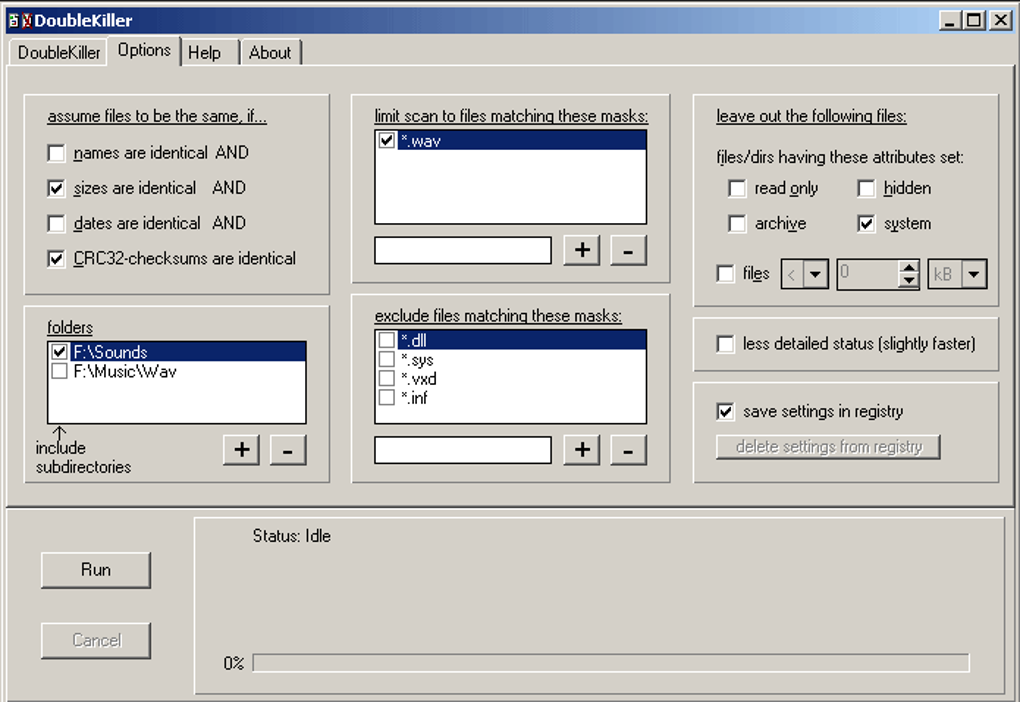
One of the standout features of DoubleKiller is its intelligent duplicate detection system, which goes beyond simple file name matching. Instead of relying solely on filenames—which can often lead to false positives—DoubleKiller uses multiple verification methods to ensure accuracy. You can choose to scan based on file size, creation date, file name, or even CRC32 checksums, which compare the actual content of files.
This means that two files with the same name but different content won’t be incorrectly flagged as duplicates. The tool also allows you to define custom subdirectories for scanning, giving you full control over which areas of your system are analyzed. Whether it’s your Downloads folder, Documents, or an external hard drive, DoubleKiller adapts to your needs.
For users who want more precision, the app supports inclusion and exclusion lists using file masks (like *.jpg or *.mp4), so you can focus only on specific file types. You can also filter by file attributes such as read-only, hidden, or system files. These settings can be saved directly to the Windows Registry, making it easy to reuse your preferred configurations across multiple sessions.
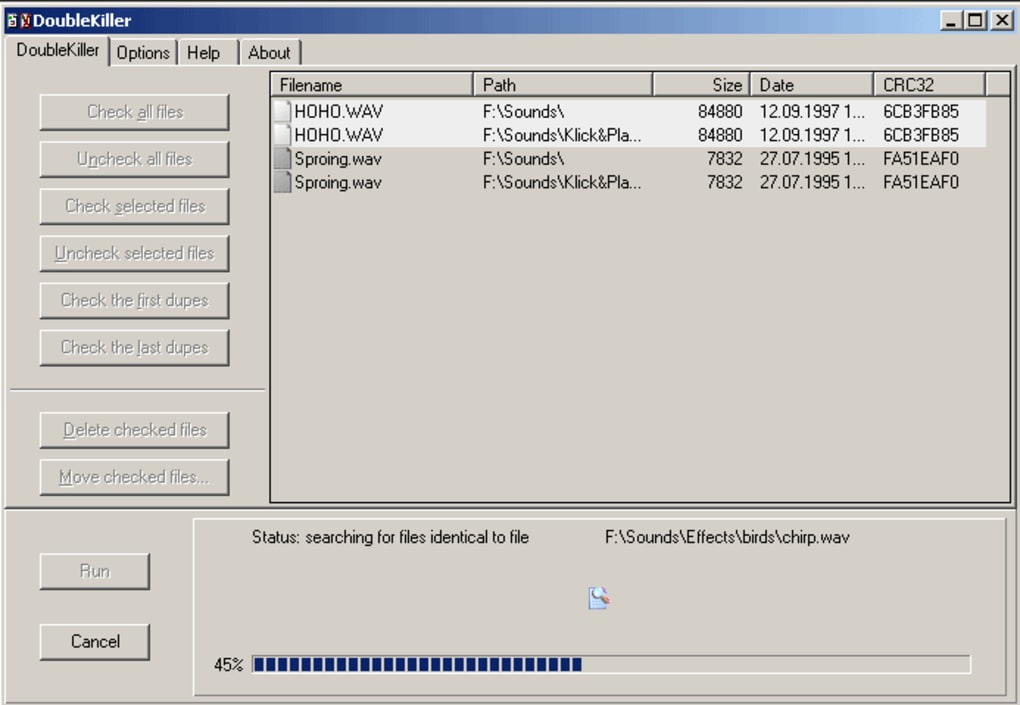
After scanning, the results are displayed in a clear, sortable list, allowing you to review each duplicate pair. You can manually select which files to delete or use the auto-selection feature to remove all duplicates except the first instance. This level of control ensures you never lose important data while maximizing storage recovery.
DoubleKiller’s verification tool is another key advantage. Before deletion, it confirms that the files are truly identical in content, preventing accidental loss of unique files. This makes it a trustworthy solution for users concerned about data integrity. Additionally, the ability to export results to a plain text file means you can review the duplicates in Excel, Notepad, or any other application—ideal for auditing or backup purposes. With these advanced filters and safeguards, DoubleKiller stands out as a reliable, secure, and efficient duplicate file finder for all types of users.
Portable & Lightweight – No Installation Required
One of the most appealing aspects of DoubleKiller is its portability. Unlike many software tools that require installation and leave behind registry entries, DoubleKiller is a standalone executable file. This means you can simply download the app, place it on your desktop, USB drive, or external SSD, and run it immediately—no setup, no admin rights needed. This makes it perfect for use on shared computers, public terminals, or even in environments with strict software policies. Whether you're cleaning up your personal laptop or a work PC, you can carry your duplicate cleaner with you wherever you go.
The software is designed to run with minimal system impact. It uses low CPU and memory resources during operation, so your computer won’t slow down while scanning. Even on older machines with limited RAM or processing power, DoubleKiller performs smoothly. However, scanning time may vary depending on the size of your drive and the number of files being analyzed. A full scan of a 1TB drive with thousands of files might take 10–30 minutes, but the process runs in the background without disrupting your workflow.
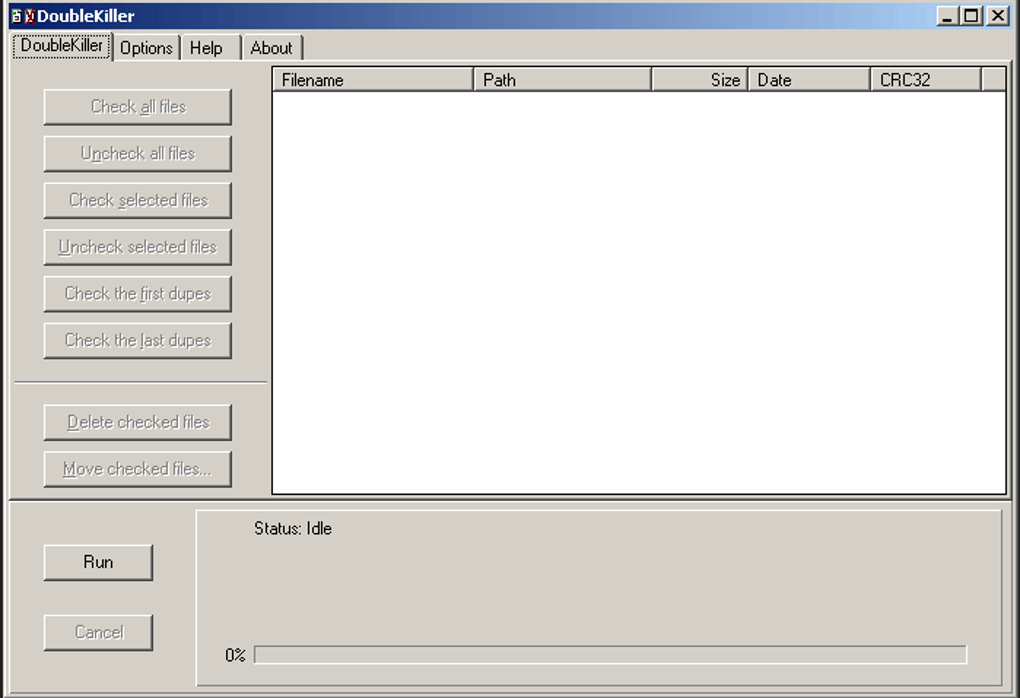
Despite its powerful capabilities, the interface may feel a bit outdated compared to modern apps. The layout is functional but lacks modern design elements like dark mode, animations, or responsive layouts. However, this doesn’t affect performance—everything is logically organized and easy to navigate. A built-in help file is available for users who need guidance, and the tool provides clear prompts throughout the scanning and deletion process. For those who prefer a minimalist approach, DoubleKiller delivers exactly what it promises: a fast, secure, and reliable way to find and remove duplicate files without cluttering your system.
Pros, Cons & Real-World Use Cases
- Pros:
- Free and completely portable – no installation required
- Supports multiple scan methods: name, size, date, CRC32 checksum
- Customizable filters using file masks and attributes
- Save and load settings from the Registry
- Export scan results to text files for analysis
- Low system resource usage – safe for older devices
- Simple verification tool to confirm file identity before deletion
- Compatible with Windows, Mac, Android, and iOS (via compatible devices)
- Cons:
- Outdated user interface – lacks modern design elements
- Scanning can be slow on large drives with many files
- Limited visual feedback during scan process
- No built-in backup before deletion (users must manually back up)
- Windows-focused; mobile versions are limited in functionality
DoubleKiller shines in real-world scenarios where storage optimization is critical. Students managing large media libraries, photographers with duplicated RAW files, or office workers dealing with redundant project backups can all benefit. It’s also ideal for users preparing to sell or donate a device—cleaning up duplicates ensures no sensitive data is left behind. The tool is especially useful for those who don’t regularly organize their files, as it automates the cleanup process with minimal effort. While it may not have flashy animations or AI-powered suggestions, its core functionality is rock-solid and dependable.
Frequently Asked Questions (FAQ)
Is DoubleKiller safe to use?
Yes, DoubleKiller is safe to use. It does not modify files unless you explicitly choose to delete them. The app includes a verification tool that checks file content before marking duplicates, reducing the risk of accidental deletion. Always review the list before removing files to ensure you’re not deleting important data.
Can I use DoubleKiller on Mac and mobile devices?
DoubleKiller is primarily designed for Windows, but it can run on Mac via compatibility layers like Wine. For Android and iOS, the app isn’t officially supported, but you can use similar tools or access files via USB transfer. For mobile users, consider using dedicated duplicate finders like Duplicate File Finder for iOS or Files by Google on Android.
How do I save my scan settings?
After configuring your scan preferences, DoubleKiller allows you to save them to the Windows Registry. This way, you can reuse your settings in future scans without reconfiguring everything. Simply select the "Save Settings" option in the preferences menu.
Can I export the list of duplicates?
Yes, DoubleKiller lets you export the scan results to a plain text file (.txt). This file is human-readable and compatible with spreadsheet programs like Excel or Google Sheets, making it easy to analyze or share the data.
Does DoubleKiller support hidden or system files?
Yes, you can include or exclude hidden, system, or read-only files in your scan using the file attribute filters. This gives you full control over what gets scanned and helps avoid accidental deletion of critical system files.
Final Verdict: A Must-Have Tool for Storage Cleanup
DoubleKiller delivers on its promise: a fast, secure, and efficient way to find and remove duplicate files without cluttering your system. Its portability, low resource usage, and advanced filtering options make it a top choice for users across all skill levels. While the interface may not be visually modern, the functionality more than makes up for it. Whether you're freeing up space on a laptop, cleaning up a shared workstation, or preparing a device for resale, DoubleKiller is a reliable companion.
If you're looking for a free, no-installation tool to reclaim lost storage space, DoubleKiller is an excellent option. It’s easy to use, highly customizable, and built with data safety in mind. With the ability to save settings, export results, and verify file identity, it stands out among similar tools.
Download DoubleKiller today and take control of your digital clutter—free, secure, and instantly usable on Windows, Mac, Android, and iOS devices.







